



BETA

Skip links

  • Skip to primary navigation
  • Skip to content
  • Skip to footer
Queensland government logo Queensland government logo
Sign in Sign out
Sign in
  • Profile summary
  • Sign out
Department of Education Department of Education Developer Portal
  • Home
  • Tags
  • Chat
  • Beta
    APIs
  • SDLC
  • Help
  • Contact us
  • Dark mode
  • Home
  • Tags
  • Chat
  • Beta
    APIs
  • SDLC
  • Help
  • Contact us
  • My profile
  • Dark mode

How to configure notifications from GitHub

Imported content
Azure DevOps, wiki
Source published 23 February 2026.
Source updated 24 February 2026.
Imported 25 February 2026
auto-import Tutorials
Imported content
auto-import Tutorials

Notifications in GitHub come directly from repos so the first step is to check you have access to the repo you want to receive notifications from.

Step 1

Check your repo access
Sign in to GitHub
Navigate to your profile » Settings » Repositories
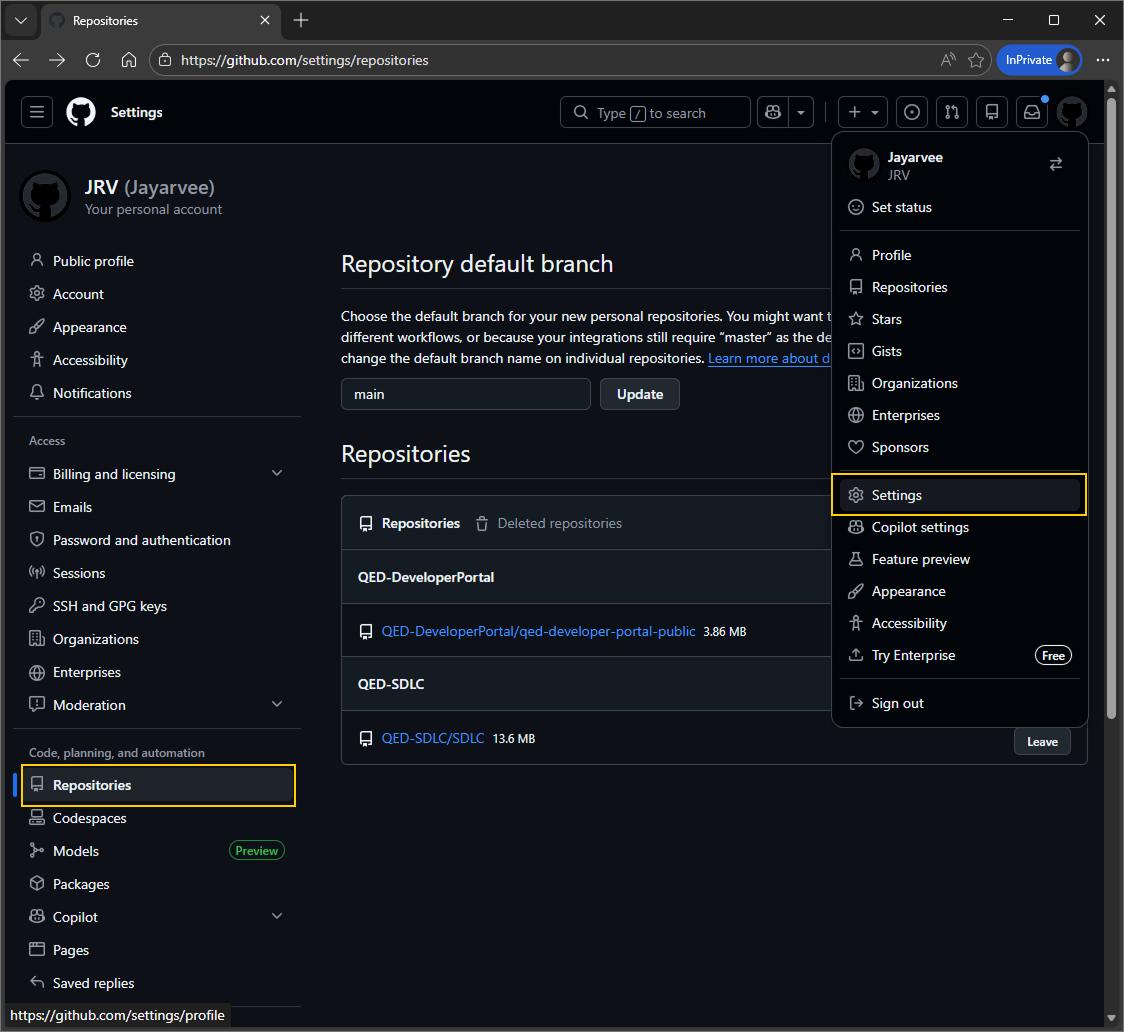
GH-notifications-1-User-repo-view.png

Step 2

To receive notifications from a repository you need to ‘watch’ it.

Open the repository and navigate to ‘Watch’, then select the category of notification you want to receive.
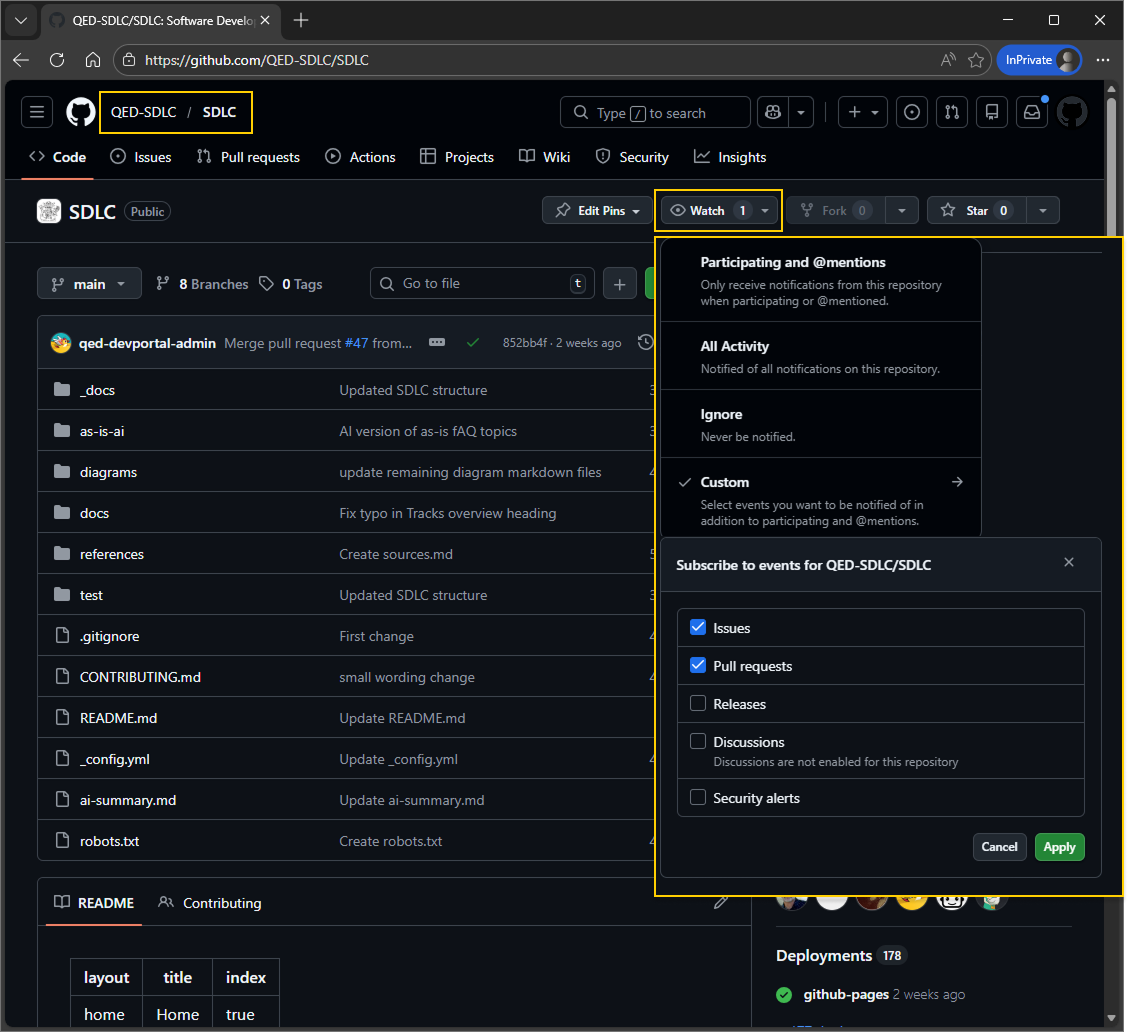
GH-notifications-2-Watching-a-repo.png

Step 3

After watching the repositories you’re interested in, you may want to configure your notifications further. Go back to your profile and navigate to the notifications menu.

You can choose whether to receive notifications to your preferred email address or to your GitHub notifications inbox.
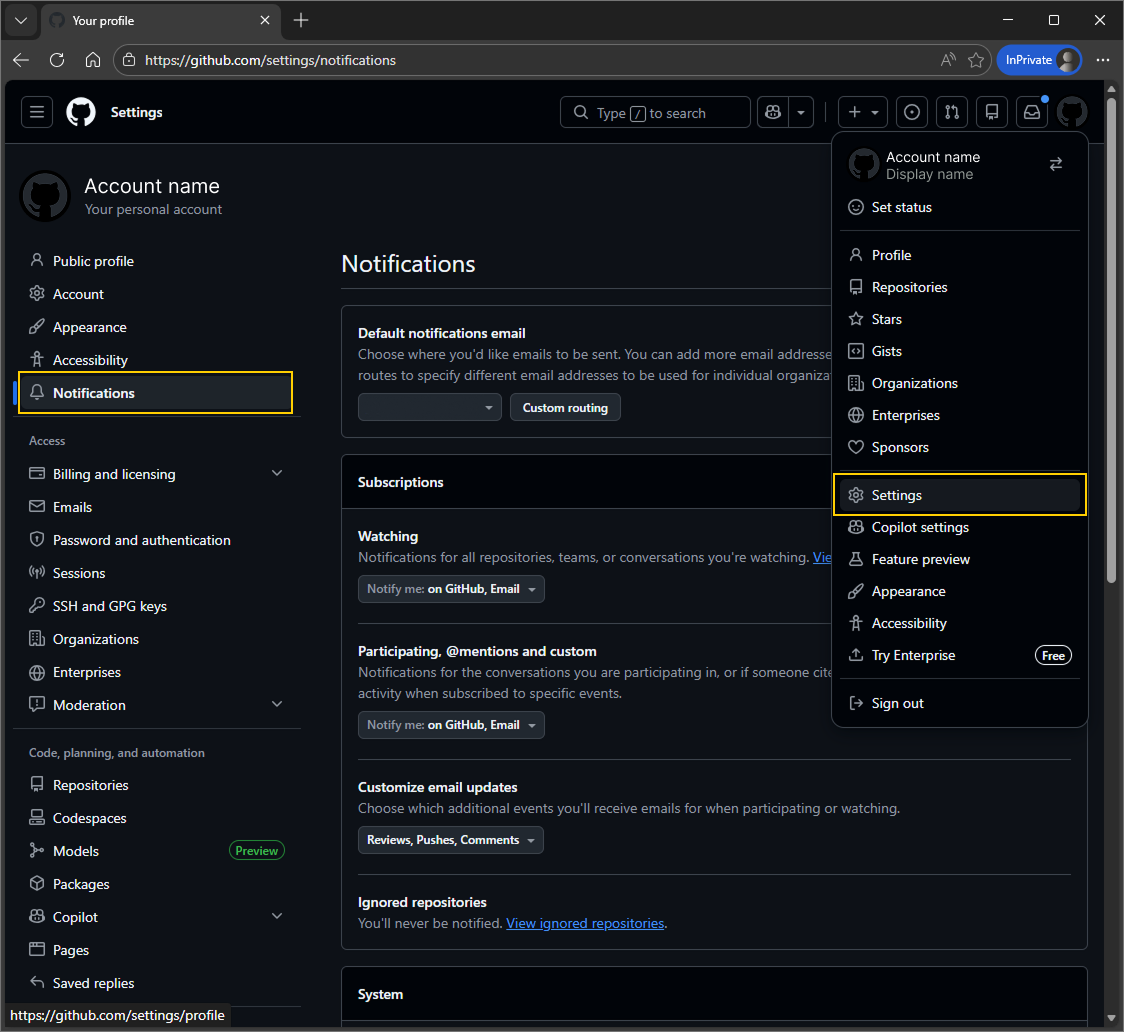
GH-notifications-3-User-notifications.png

If you’ve opted to receive notifications by email, you can then filter/forward them by using Outlook rules, e.g. to disseminate to a person or team who may not have a GitHub account.

Powered by Link to AI chat
  • Copyright
  • Disclaimer
  • Privacy
  • Right to information
  • Accessibility
  • Jobs in Queensland Government
  • Other languages

© The State of Queensland (Department of Education) 2026

Queensland Government